
|
Size: 806
Comment:
|
Size: 883
Comment:
|
| Deletions are marked like this. | Additions are marked like this. |
| Line 6: | Line 6: |
| ||Example||Ex||14||abe||5||control||c0ntr6l||/u/cc/||Network printer||hosted printer ||no||WARE||Window 7||vpn||direct||no|| | ||Example ||Ex ||14 ||abe ||5 ||control ||c0ntr6l ||/u/cc/ ||Network printer ||hosted printer ||no ||WARE ||Window 7 ||vpn ||direct ||no || |
| Line 17: | Line 17: |
Label printer after calaberation need to exit dump mode. |
Servers and Printer maintain.
following is a list of customer and their printer setup.
need to be able to identify their setup before diagnose.
Customer Name |
Fresh desk tag |
Release |
server url |
vnc number |
vnc password |
ssh password |
CCDIR |
docket |
A4 |
label |
Branch |
host OS |
VPN/ttppip |
direct/google cloud |
use guacamolie |
Example |
Ex |
14 |
abe |
5 |
control |
c0ntr6l |
/u/cc/ |
Network printer |
hosted printer |
no |
WARE |
Window 7 |
vpn |
direct |
no |
|
|
|
|
|
|
|
|
|
|
|
|
|
|
|
|
|
|
|
|
|
|
|
|
|
|
|
|
|
|
|
|
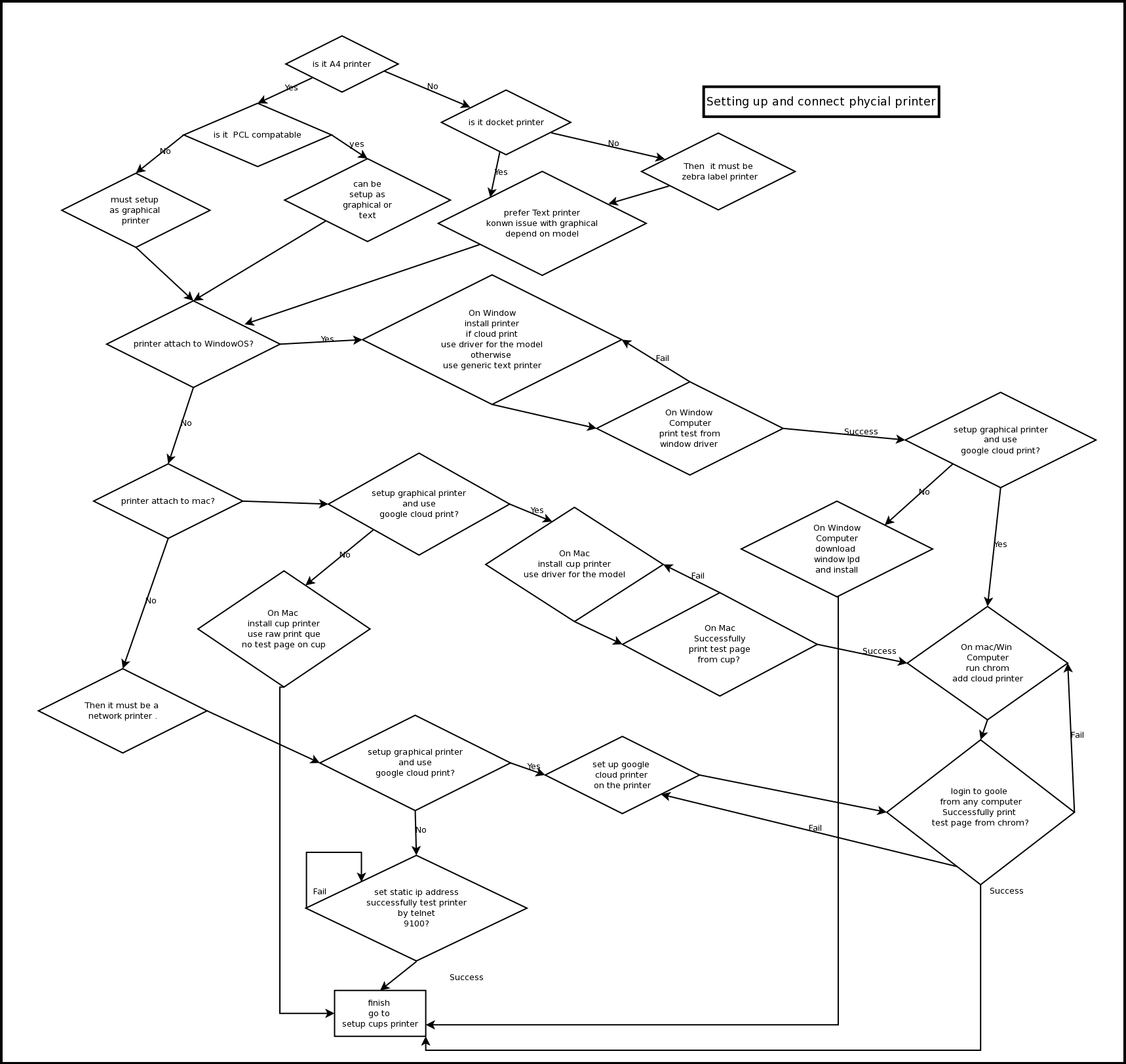
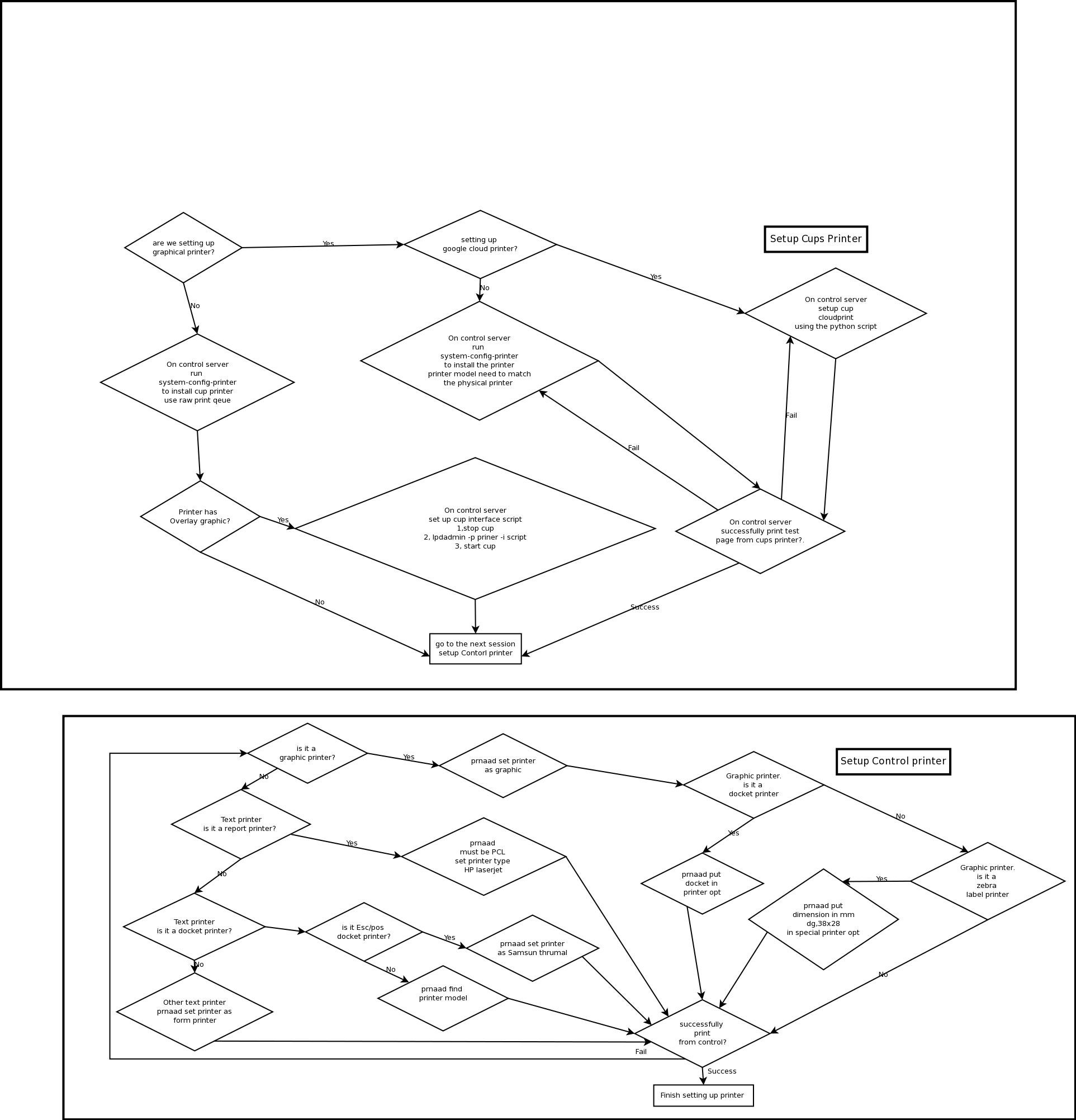
Once figure out which type of printer setup they use try to follow the diagram to diagnose.
Label printer after calaberation need to exit dump mode.