|
Size: 440
Comment:
|
Size: 728
Comment:
|
| Deletions are marked like this. | Additions are marked like this. |
| Line 1: | Line 1: |
| ||<tablewidth="100%" tablestyle="text-align:left">Customer Name ||Fresh desk tag ||Release ||server url ||vnc number ||vnc password ||ssh password ||CCDIR ||docket ||1qty ||3qty ||reports ||label ||VPN ||direct/google cloud ||use guacamolie || | = Servers and Printer maintain. = following is a list of customer and their printer setup. need to be able to identify their setup before diagnose. ||<tablewidth="100%" tablestyle="text-align:left">Customer Name ||Fresh desk tag ||Release ||server url ||vnc number ||vnc password ||ssh password ||CCDIR ||docket ||A4 ||label ||network printer ||host OS ||VPN ||direct/google cloud ||use guacamolie || |
| Line 5: | Line 10: |
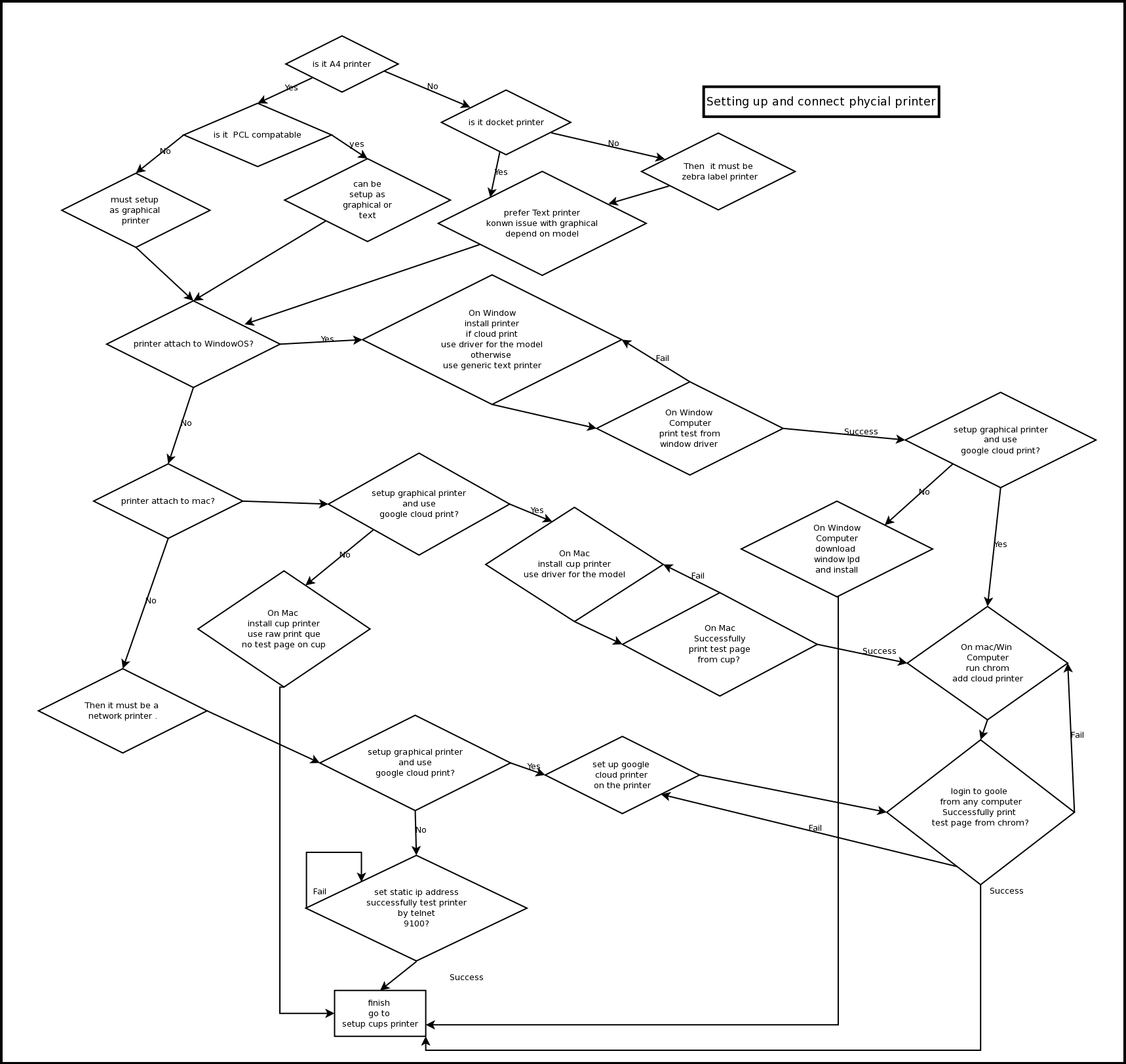
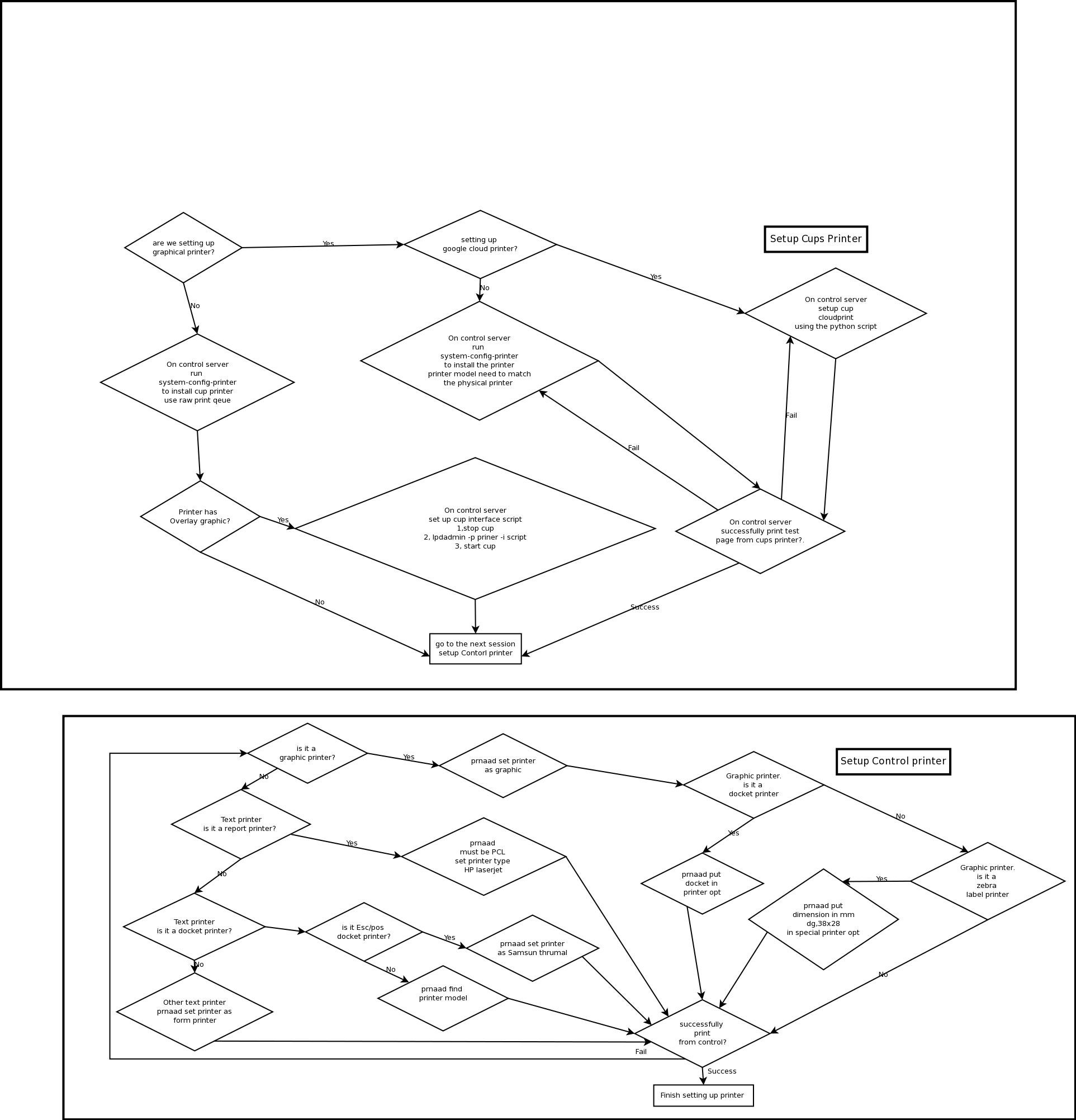
| {{New user bar|image=printflow1.png}} | Once figure out which type of printer setup they use try to follow the diagram to diagnose. {{attachment:printflow1.png}} {{attachment:printflow2.png}} |
Servers and Printer maintain.
following is a list of customer and their printer setup.
need to be able to identify their setup before diagnose.
Customer Name |
Fresh desk tag |
Release |
server url |
vnc number |
vnc password |
ssh password |
CCDIR |
docket |
A4 |
label |
network printer |
host OS |
VPN |
direct/google cloud |
use guacamolie |
|
|
|
|
|
|
|
|
|
|
|
|
|
|
|
|
|
|
|
|
|
|
|
|
|
|
|
|
|
|
|
|
|
|
|
|
|
|
|
|
|
|
|
|
|
|
|
|
Once figure out which type of printer setup they use try to follow the diagram to diagnose.