
QSS on control explained
1, Basic concept introduction
a, basic format directive following by declearations, directive is the ClassName of the widgets.
/* CCLabel is the directive also the ClassName ,the text in the {} pair are the declearation*/
CCLabel {
    font-size: 16pt;
    }
b, more than one directives can be jointed for a declearation
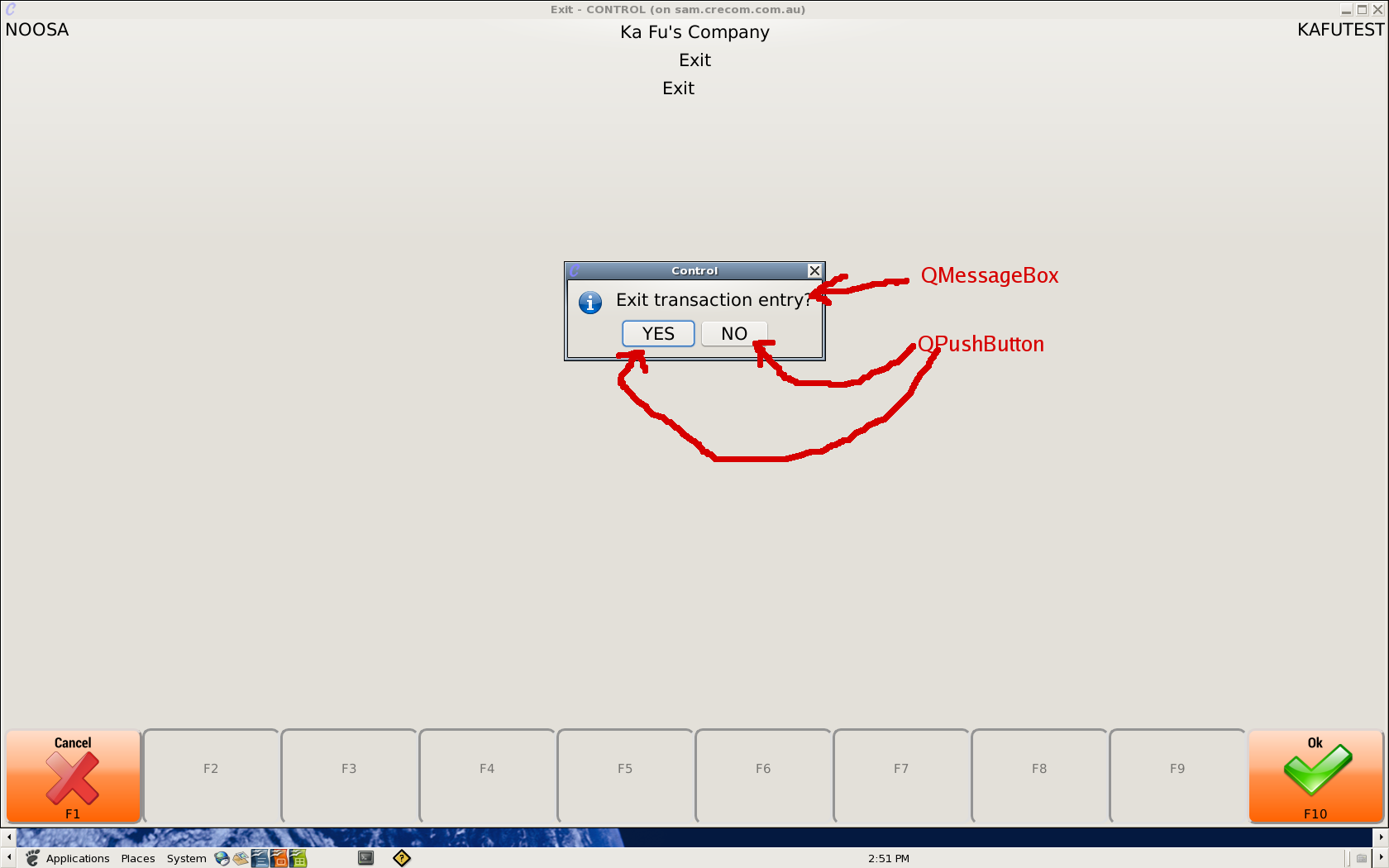
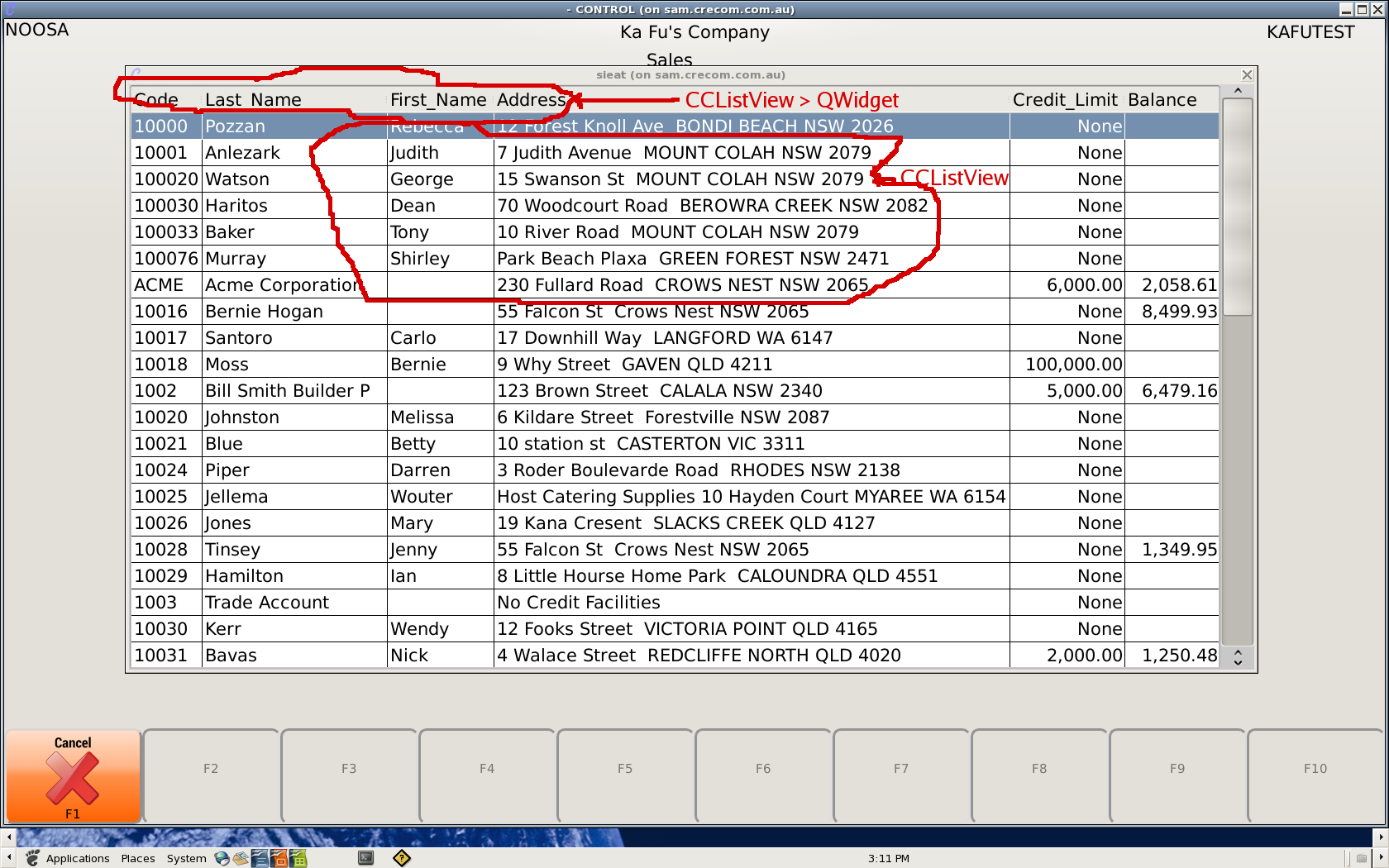
/*CCListView, QListView, QComboBox, QPushButton, QMessageBox all have 16 pt font-size*/
CCListView, QListView, QComboBox, QPushButton,QMessageBox {
    font-size: 16pt;
    }
c, for some widget they have state can use ":" to indicate state.
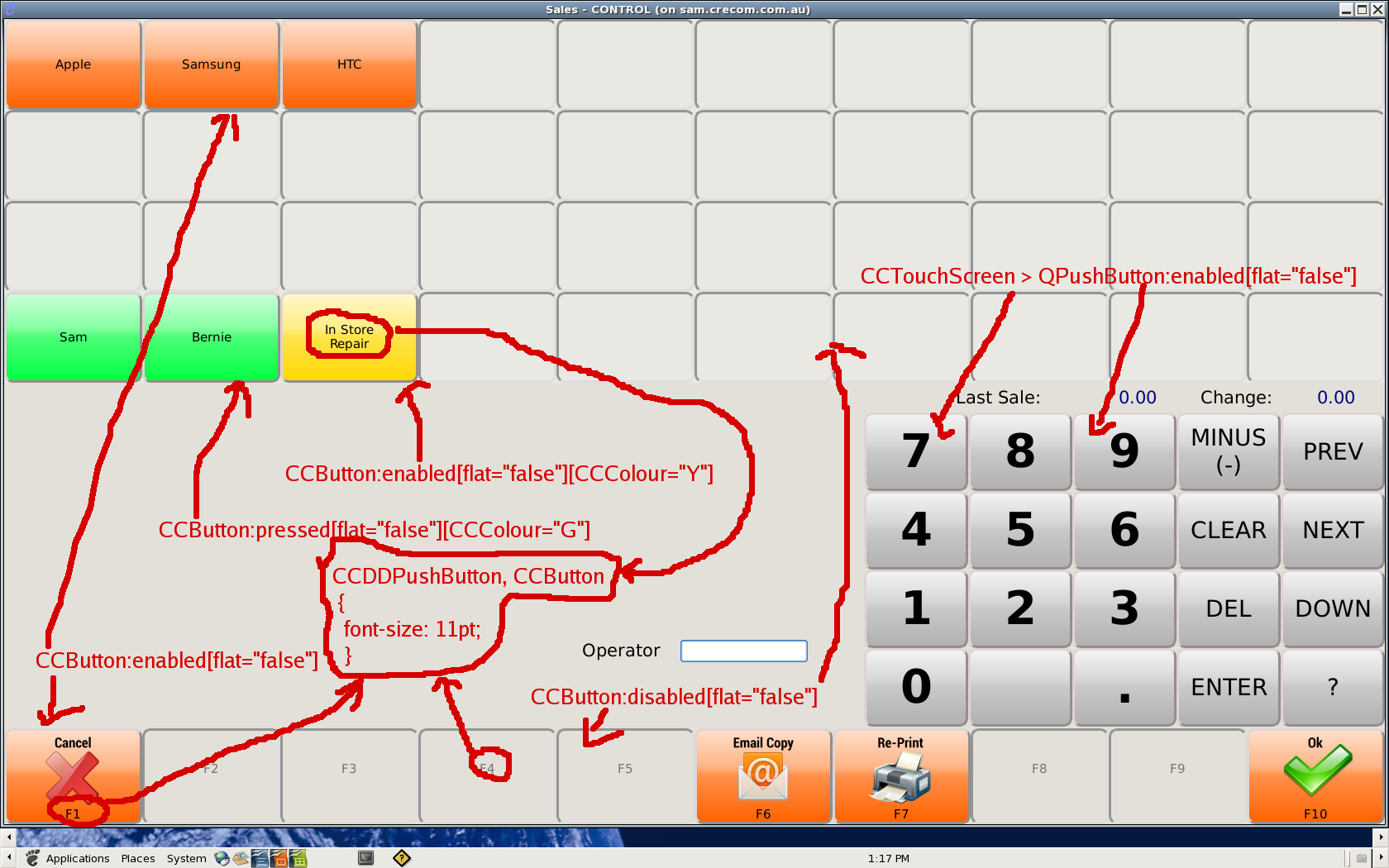
/*enabled, pressed and disabled CCDDPushButton will look different*/
CCDDPushButton::enabled {
    border-style: outset;
    border-width: 3px;
    border-radius: 10px;
    border-color: #948E8C;
    background: qlineargradient(
       x1:0, y1:0, x2:0, y2:1,
       stop:0 #ffe0cd,
       stop: 0.4 #ffb587,
       stop: 0.5 #ff904b,
       stop:1 #ff6200
       );
    }

CCDDPushButton:pressed {
    border-style: inset;
    }

CCDDPushButton:disabled {
    border-style: inset;
    border-width: 3px;
    border-radius: 10px;
    border-color: #949494;
    }
d, can also select a widget by one of its attribute using "[" and "]".
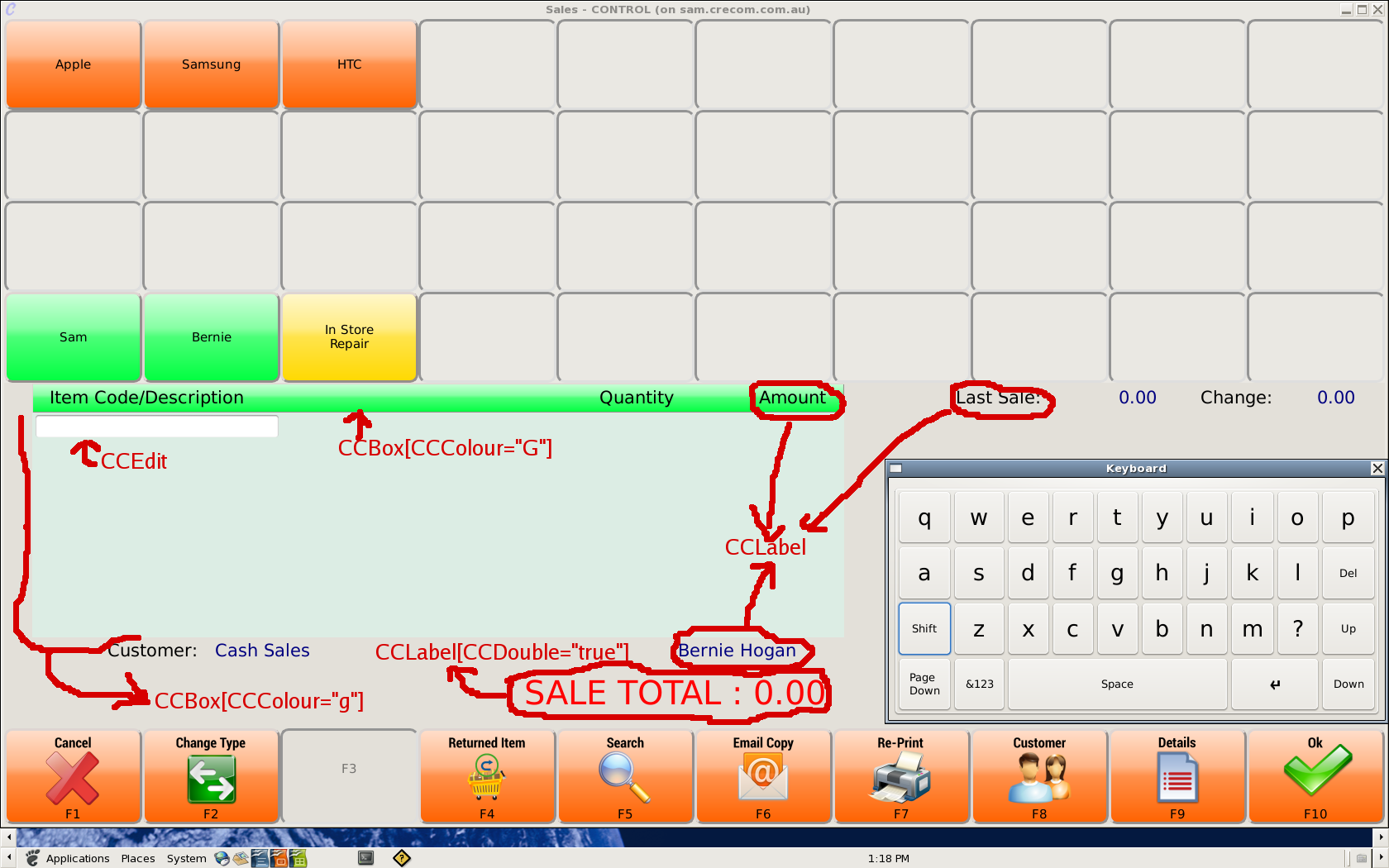
/*only CCBox with attribute CCColour equal "q" will affected by this declearation*/
CCBox[CCColour="g"] {
    border-style: inset;
    background-color: #DCEDE4;
    }
e, when a property of a widget was not found in a more specific directive, the lest specific directive will be used.
/*all CCDDPushButton will have font-size 11pt*/
CCDDPushButton {
    font-size: 11pt;
    }
/*only the enabled CCDDPushButton will have the back stylish border and background*/
CCDDPushButton::enabled {
    border-style: outset;
    border-width: 3px;
    border-radius: 10px;
    border-color: #948E8C;
    background: qlineargradient(
       x1:0, y1:0, x2:0, y2:1,
       stop:0 #ffe0cd,
       stop: 0.4 #ffb587,
       stop: 0.5 #ff904b,
       stop:1 #ff6200
       );
    }
f, when selecting only widgets belong to an other widget can use ">"
/*only affect QPushButton which is a child of CCTouchScreen*/
CCTouchScreen > QPushButton {
    border-style: inset;
    }
Examples of currently implemented directives
All the Red Text indicate the Directive with link to their Widget.
1, ccmenubar, ccexplore -- the menu programs.

2, starndard control programs
![[ATTACH]](/mywiki/CONTROL/Software/Development/QSS?action=AttachFile&do=upload_form&ticket=006ae0c0d0.36d61f886482bcb331903dcb58940c8a6a72c815&target=menu_labeled.png "[ATTACH]")
3, guiaad programs
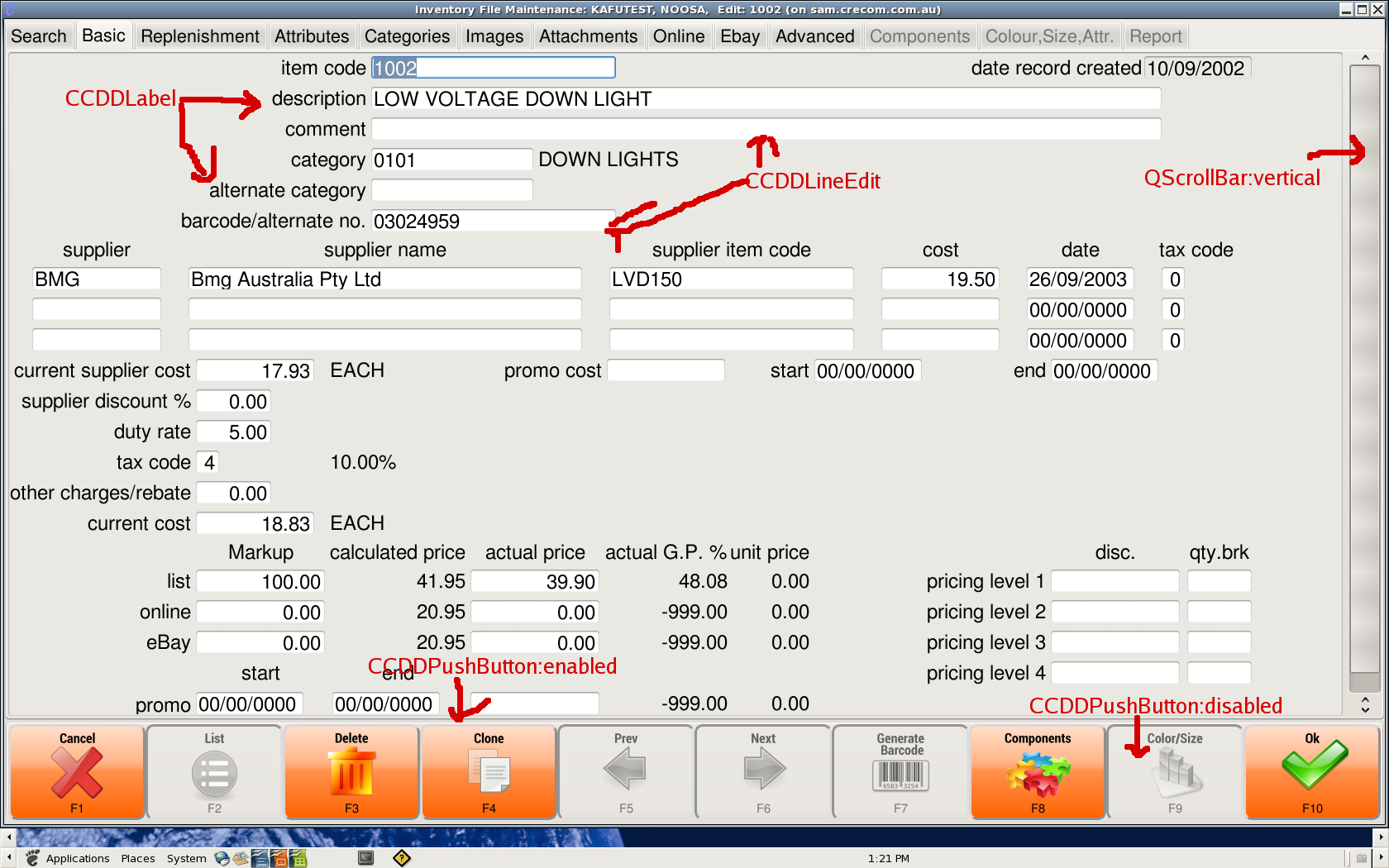
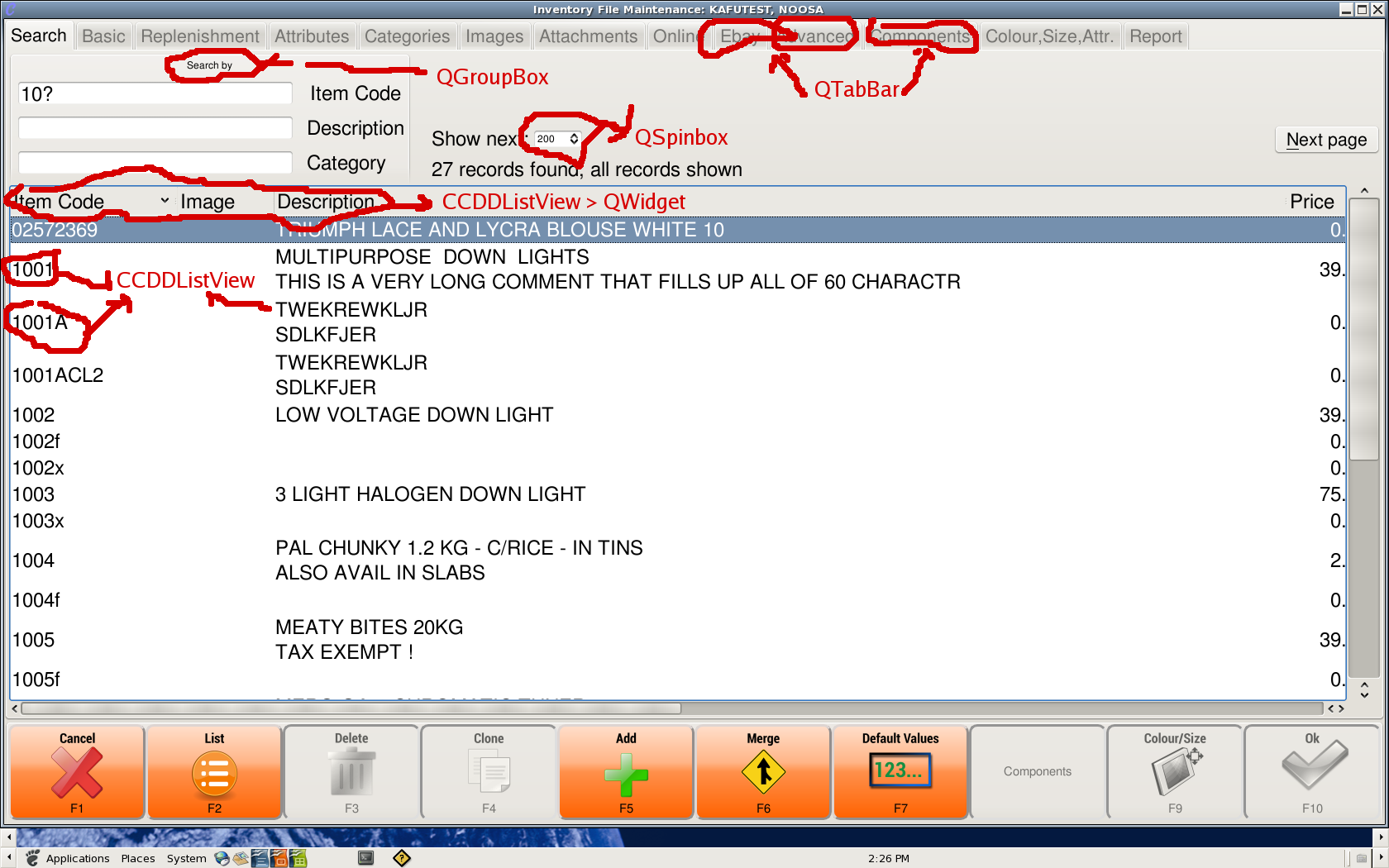
4, keyboard
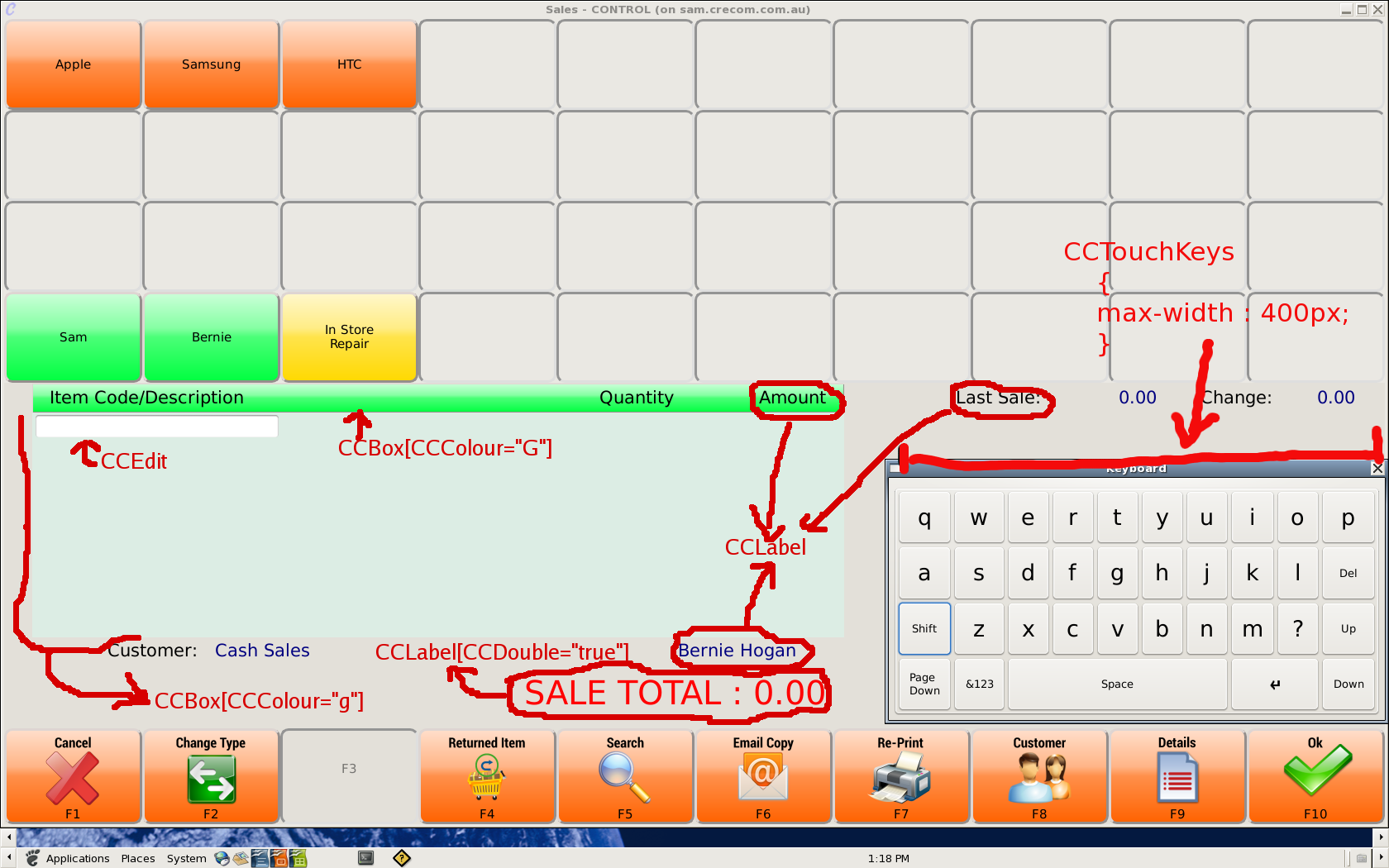
Advance
for more detail can run "Qt::assistant" on sam and search "stylesheet" or google "qt 4.8 qss" for full doco.