
Installing TUN
Esker, TUN emul.
Two main installation options:
- PC to Host
- Executable Mode
Files available in tun_files.zip need to extracted into:
C:\Program Files\TUN\emul
When starting TUN start with the Unix Access. If it is not available, Executable Mode wasn't selected during installation. Open a new session, select Terminal Type to be {Creative (ANSIADV)} by specifically selecting the files ansiadv.seq:
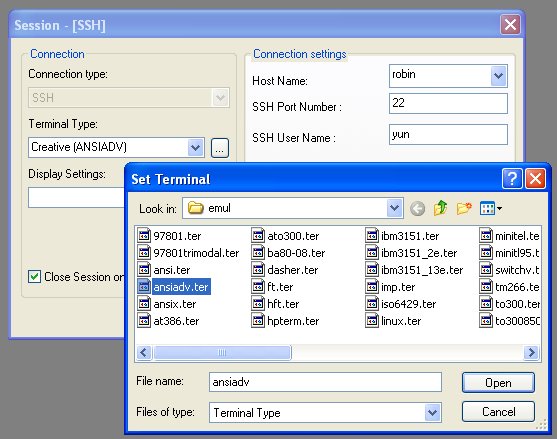
Similarly for Display Settings select ansiadv which is the ansiadv.ctx file.